

























When it fits a restaurant
It works for restaurants, cafés, bars, and other venues that accept different party sizes, reserve shared or private spaces, and plan visits within defined time windows.
Let guests choose a reservation option based on party size or space, select an available time, provide their contact details, and receive a confirmation. Fewer calls and every reservation detail in one place.
Guests choose a reservation option, date, and available visit time online, enter their contact details, and the restaurant team receives a clear reservation in one calendar.
It works for restaurants, cafés, bars, and other venues that accept different party sizes, reserve shared or private spaces, and plan visits within defined time windows.
This section covers common restaurant reservation situations: where confusion starts and how a clearer booking journey helps both guests and the team.
Guests can see available times and submit a reservation even during the restaurant's busiest service hours.
Separate options by party size or space, with clear time windows, tell the team what to prepare for.
Contact details, confirmations, reminders, and an optional deposit help reduce no-show risk.
Extra questions and a notes field keep important details attached to the reservation.
Let guests choose an option prepared for their party size or the restaurant space they need.
Show available start times together with the full planned reservation interval.
Guests receive their booking details after reserving and always receive a reminder before arrival.
A guest chooses the reservation option that fits their party or preferred space.
They select a date and an available visit time.
They enter their name, email, phone number, and any requested details.
The guest receives the confirmation and full reservation information while the restaurant sees the booking in its calendar.
The restaurant demo includes options for small and larger parties, a private space for up to 10 guests, available visit times, and guest contact fields.
More practical reading for service businesses that want cleaner booking, team, and customer workflows.
When a customer cancels at the last minute, the problem is not only an empty hour. Learn how to set clear rules, use an opt-in waitlist, send trusted reminders, and offer open slots without pressure.
Accessible booking is not only a legal topic. Learn how service businesses can improve field names, errors, time selection, rules, pricing, and confirmations so customers do not get stuck.
Advance payments can protect your calendar, but only when customers understand the price, rules, and remaining payment. Learn when to ask for a deposit and how to keep booking clear.
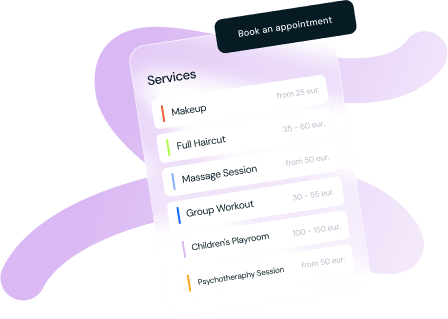
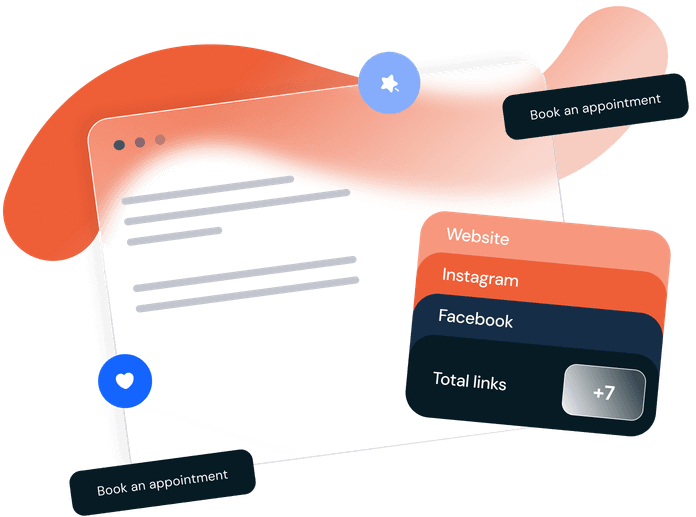
Choose your preferred way to take bookings: embed the booking tool on your website, share a direct booking link, or get a detailed business page hosted by us. Whichever you choose, you'll have the option to accept direct online payments to your account and benefit from automated notifications.
Easily embed the booking tool directly onto your website. Allow your clients to conveniently book services, pay online directly to your account, and receive automated notifications.
Create a professional page for your services, hosted by us. Upload images, add descriptions, and let clients book and pay online directly to your account.
A simple and effective booking link designed to be shared on social media or other pages. Clients can easily select services, time, and complete their booking online.
Contact us for a consultation - we'll help you choose the best solution!
Empower Your Business with Flexible Scheduling, Seamless Payment Acceptance, and Actionable Insights.
PAYMENT ACCEPTANCE
Enable your clients to pay easily and quickly. This tool allows you to accept various payment methods, with funds transferred directly into your connected account. Safe and reliable for your customers.
ALL-IN-ONE SOLUTION
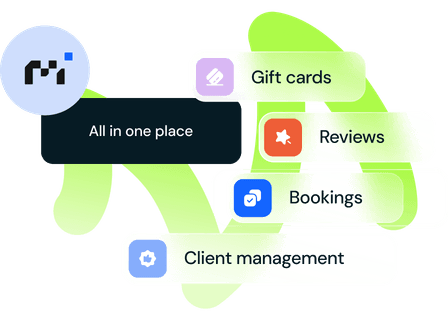
Easily manage bookings, customers, reviews and gift cards all in one place to save time and increase efficiency. Focus on what matters most.
BOOKINGS
Tailor your booking flow to fit your brand. Adjust pricing, schedules, email communications, and visual elements, all while offering flexible payment options to your clients. With Moizmo Booking, you're in control of the experience.
DIRECT PAYMENTS
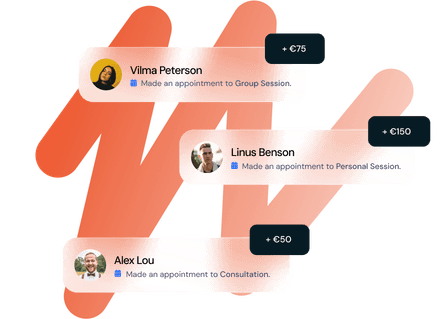
Benefit from immediate transactions with Moizmo Booking. As clients confirm their bookings, payments are deposited directly into your account. Bypass intermediaries, minimize wait times, and bolster your financial assurance.
We have over 30 features that you can check to see what needs we can cover.
Offer your clients an intuitive and seamless booking experience.
Tailor your booking page to match your brand's look and feel with ease.
Easily integrate this booking tool with your site. It's quick to install and enables convenient online payments.
Allow customers to book multiple services in a single appointment, with availability calculated automatically.
Provide live availability updates to customers for instant bookings.
Define availability slots for better time management and bookings.
Design personalized booking forms to collect the exact information you need.
Allow customers to book multiple slots for group or class events.
Setup your work hours in the calendar, add your services, add pricing, enable automated reminders. Then add a “booking” button to your site and/or social media pages and watch your revenue grow.
Set your work hours, add services and pricing, and enabled automated reminders.
Add a "Book Now" button to your website and/or social media pages.
Start watching your revenue grow.
Kibir Vibir
"This system makes things easier for us and our customers. It works well, and the team responds fast to questions. It suits many types of businesses. Highly recommended."
Kuria Vaikai
"Big thanks to Moizmo Booking team. They helped set up the system, gave training, and answered all our questions fast. They're always improving things. The system reduced our workload a lot, as we don't have to handle payments manually anymore. I really recommend them."
Pramogama
"Wonderful company, patient staff, and the pricing don't bite."
Drumbacelė
"The team always helped fast and professionally, allowing us to successfully launch two child playrooms. The system handles payment integration perfectly, ensuring smooth behavior for our bookings. I highly recommend Moizmo Booking for managing entertainment spaces."
Japanese Slow Beauty
"Moizmo Booking promptly helped with system integration in different languages, ensuring a seamless experience for my clients. The gift coupons feature is excellent, and they even created a professional business page for me. This tool has truly made my work life easier."
AV Clinic
"The support team was always helpful in setting up different services and managing multiple doctors all in one place. They assisted with full integration to our webpage, which has significantly increased sales and improved the user experience. This system removed the daily hassles of clinic management."
Esu Šalia
"The most excellent feedback about working together with Moizmo Booking developers. They found me at the right time, when I was already looking for such a service; they offered to create something that would help me, facilitate my service delivery. And it all worked!"
Makos
"Moizmo Booking is really flexible, especially for entertainment businesses. Easy to change prices and automated features are great. It's made my work simpler and improved customer service. Definitely recommend it."
Kamile's Dog Grooming
"I'm glad I found Moizmo Booking for my salon. It's easy to use, sends reminders to customers automatically, and makes everything simpler. I really suggest giving it a try!"
Try this embedded booking solution now to see one of the configurations we offer. Once you complete the booking demo, we’ll follow up with you to discuss your needs and next steps.
Answers for restaurants, cafés, and bars that want to accept clear reservations online.
Yes. Reservation options, times, and questions can be configured around how each venue works.
A guest can choose a party-size or space option, a date, and one of the available visit times.
Yes. You can prepare different options for smaller or larger parties, a private room, or another reservable space.
Yes. Guests can see both the start time and the full planned reservation interval.
The booking form can be tailored to the restaurant's needs and request a name, email address, phone number, or other required details.
Yes. Guests receive all reservation information after booking and always receive a reminder before arrival.
Yes. A deposit can be used for larger groups, events, or high-demand times.
Yes. You can add extra questions or a notes field, and offer additional services as a separate step in the booking flow.
Yes. The booking link can be added to your website, Google profile, social channels, advertising, or messages.
Yes. We can provide a page with restaurant photos, a description, reservation rules, and a complete booking flow. It is included at no extra cost and can be found online and through search engines.
Find out how this booking system can make your job easier! After submitting the form, our team will be in touch shortly to help you get started, answer any questions you may have and tailor a demo solution to your needs. We will also give you the opportunity to try out all the features for free for 14 days.